

Tailgating detection
One badge, one person, no exceptions. Tailgating detection watches secure entry points and flags the moment a second person follows an authorized badge holder through a controlled door.
- A second, unbadged person entering directly behind an…
- Multiple people passing through a single-entry access point…
- Door-held-open events that allow entry without a fresh badge…
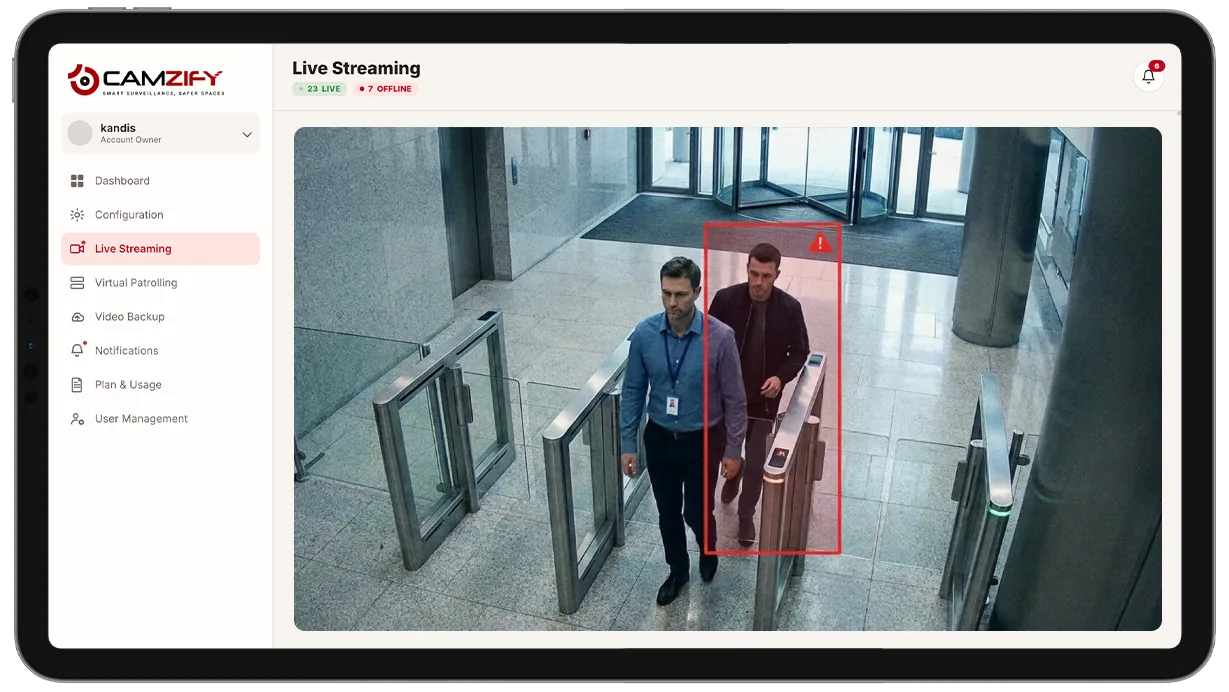
This capability detects and alerts on:
- • A second, unbadged person entering directly behind an authorized badge holder
- • Multiple people passing through a single-entry access point together
- • Door-held-open events that allow entry without a fresh badge scan
- • After-hours tailgating at doors that should see no traffic
- • Mismatches between badge count and confirmed head count at an entry event
- • Repeated tailgating attempts at the same door within a short window
Why tailgating detection matters
Access control systems are built around a simple assumption: one badge scan means one authorized person entering. That assumption breaks the moment someone holds a door for a colleague, or a second person simply walks in close behind the first before the door swings shut. The badge log still shows a clean, valid entry, it has no way of knowing a second, unauthorized person came through on the same event.
Manned entry points solve this with a guard physically watching the door, but that's not realistic at every access point on a large site, and attention lapses even where it is staffed. Reviewing footage after an incident to check who came in with whom is possible, but only after something has already gone wrong.
Tailgating detection closes that gap by watching every access event continuously and comparing what the camera actually sees, how many confirmed people crossed the threshold, against what the badge log implies. The mismatch is what triggers the alert, in real time, rather than being discovered during a post-incident review.

How it works
Counting confirmed entries
A camera positioned at the access point uses multi-object tracking to count confirmed subjects passing through the doorway within a single entry event, rather than reacting to general motion near the door.
Comparing to the badge event
When the confirmed head count exceeds one for a single badge scan, an alert fires. Each alert includes a clip of the entry, headcount, and timestamp, and, when AI attribute extraction is enabled, structured attributes for each person involved.
Alert delivery
Alerts route through the platform's notification system with severity, acknowledgment status, and the option to mark as false positive.
Configuration
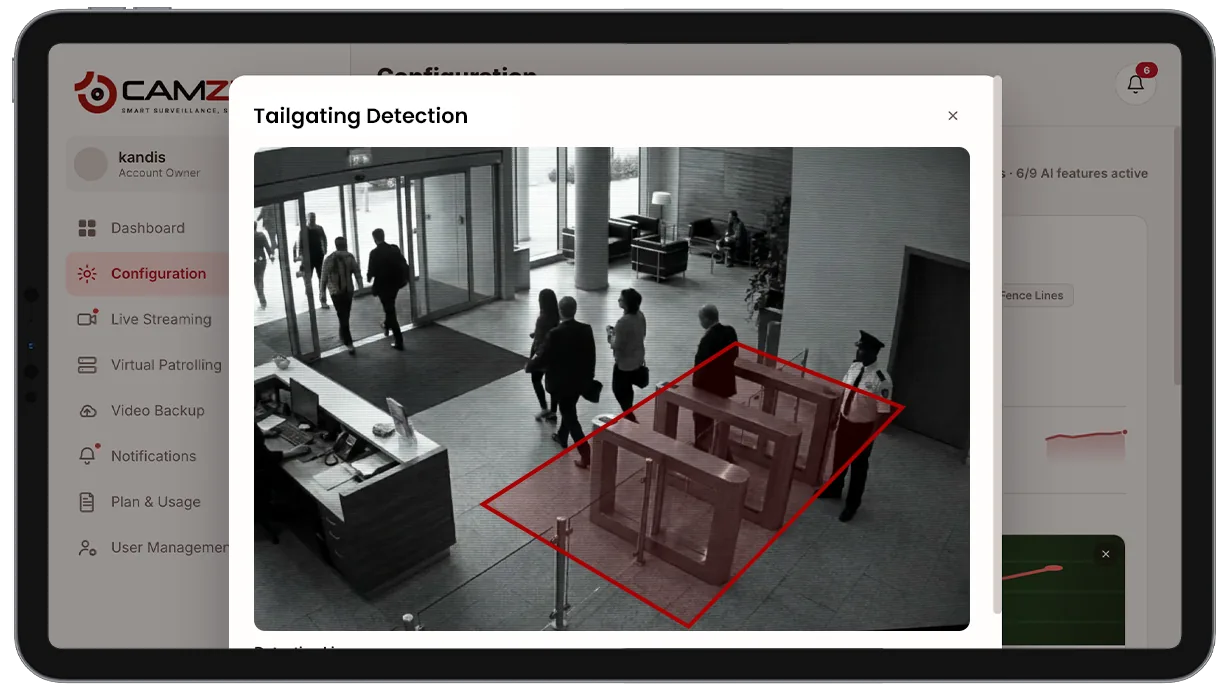
Tailgating detection is configured per access-point camera with a defined entry zone. Available settings include:
- • Entry-zone boundaries drawn directly on the camera view
- • Notification window per camera, e.g. after-hours doors only
- • Sensitivity tuning for closely spaced entrants
- • Optional access control log pairing for badge-vs-headcount alerts
- • Per-camera instance licensing, matching other detection features
Common scenarios
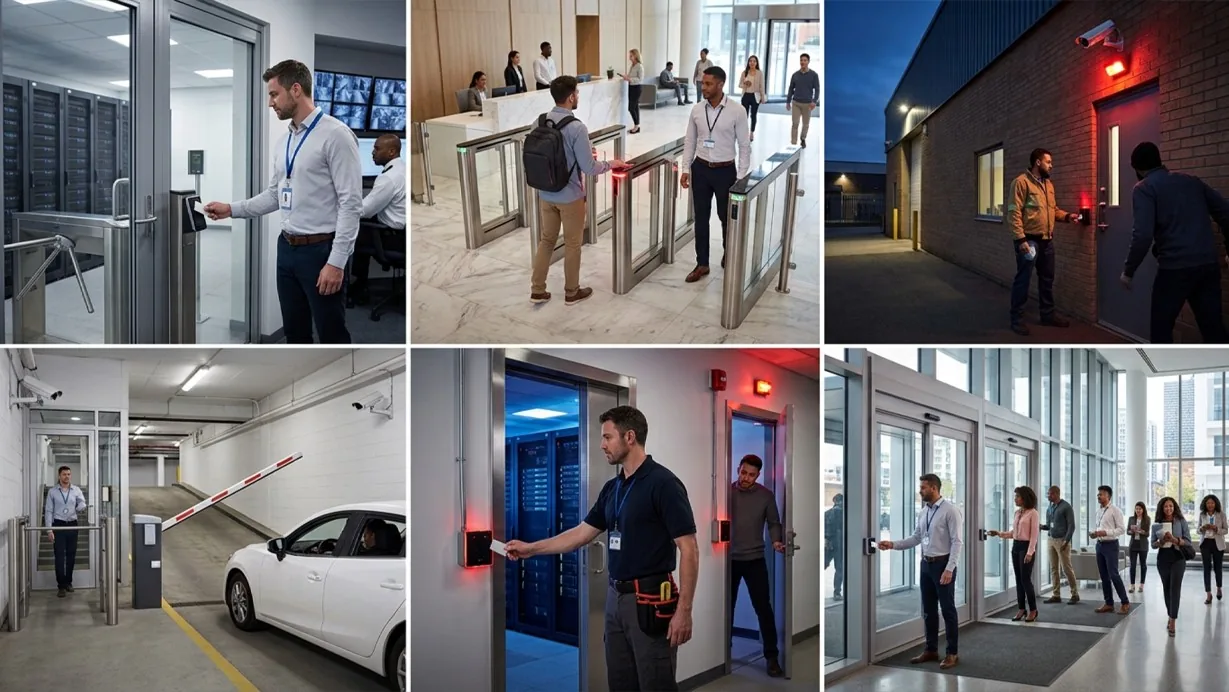
- • A data center entrance where every badge-in must correspond to exactly one confirmed person
- • An office lobby turnstile flagged when a visitor follows an employee through without signing in
- • A warehouse staff door monitored after-hours where any tailgating event is treated as non-compliant
- • A parking garage staff entrance separating authorized personnel from public access
- • A server room door where tailgating alerts route immediately to on-call security
- • A multi-tenant building entrance where each tenant's access should map to a single badge holder
In a patrol round
During a virtual patrol round, a tailgating event at a monitored door contributes to the compliance assessment at that camera stop and is logged alongside the checklist results in the patrol report.
Industries using this
Related detections
Frequently asked questions
Ready to patrol your site 24/7?
Book a 15-minute demo and see a live patrol run on your own cameras.