

Guard notifications
A guard notification is an automatic alert sent to the security guard assigned to a specific camera when a checklist item is marked Not Compliant during a virtual patrol round. Each notification carries a predefined message explaining what was found and what action is expected.
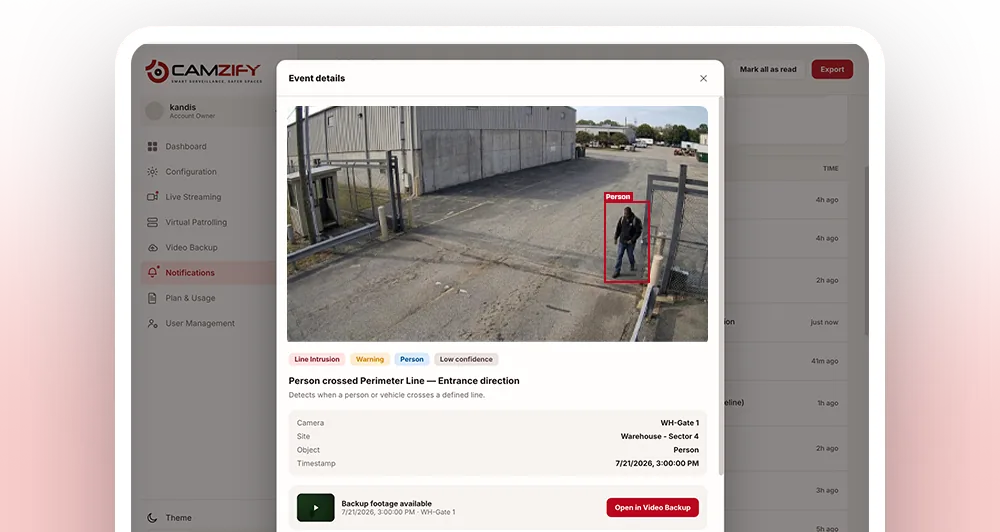
Named guard per camera
Every camera in the patrol sequence has an assigned guard with contact details. No ambiguity about who is responsible.
Predefined messages
Each checklist item has a pre-written escalation message. "Gate left open after delivery, close immediately."
Instant delivery
Notifications are sent the moment a failure is logged. The guard knows what happened and where before anyone else.
Why guard notifications matter
A failed checklist item is only useful if it reaches someone who can act on it. Without an automatic alert, that failure sits in a report until an operator happens to review it, which might be minutes later, or might be at the end of the shift, long after the gate has been left open or the zone has stayed unattended.
Radioing around or calling the guard on duty works occasionally, but it depends on someone remembering to do it, knowing who is actually covering that camera right now, and reaching them on whatever channel they happen to have open. None of that is guaranteed, and none of it leaves a record of when the guard was told or whether they responded.
Tying the notification directly to the checklist item removes the guesswork. The moment a result is logged as Not Compliant, the system already knows which camera it came from, which guard is assigned to it, and what message to send, so the alert goes out immediately, to the right person, with no one in between.
What a notification looks like
Each message is written when the checklist item is created, so it names the problem and the expected action rather than leaving the guard to guess.
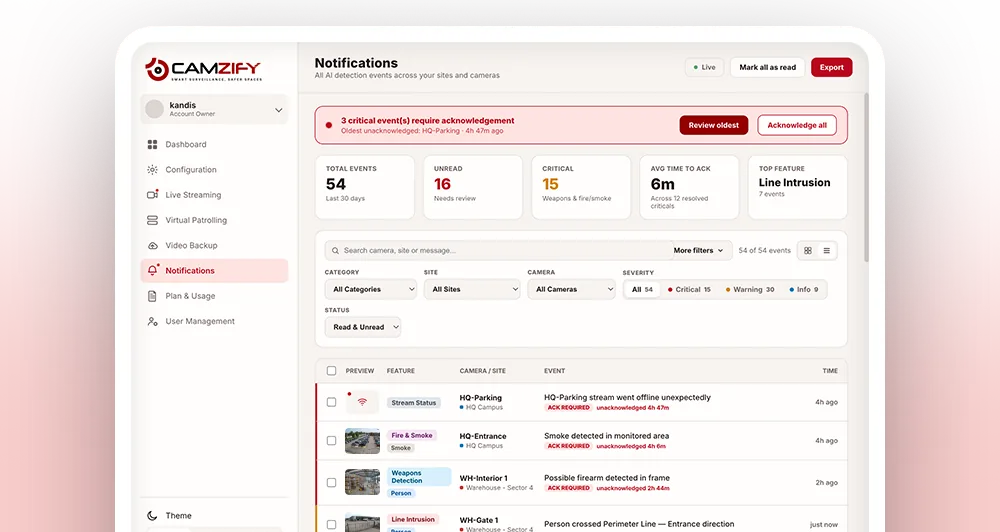
How notifications flow
- 01Patrol round reaches a camera in the sequence
- 02Checklist item is evaluated as Compliant or Not Compliant
- 03On failure, the system retrieves the guard assigned to that camera
- 04The predefined message for that checklist item is sent to the guard
- 05The notification is logged in the patrol report
- 01Item fails at a stop
- 02Assigned guard resolved
- 03Predefined message sent
- 04Logged to the report
- 01Guard notified
- 02No acknowledgment in window
- 03Escalates to backup contact
- 04Every step logged
Escalation and delivery channels
Notifications aren't a single fire-and-forget message. Delivery and escalation are configured per guard, so coverage doesn't depend on one phone being switched on.
- • Each guard can have multiple channels configured, email, SMS, WhatsApp and push, in a preferred order
- • Acknowledgment is required within a configurable window before an alert counts as unactioned
- • Unacknowledged alerts escalate automatically to a backup guard or site supervisor
- • Escalation contacts are set independently of the primary guard, so backup coverage is never assumed
Frequently asked questions
Ready to patrol your site 24/7?
Book a 15-minute demo and see a live patrol run on your own cameras.