

Zone intrusion detection
Zone intrusion detection defines polygonal restricted zones in the camera view. Any confirmed object track entering the zone triggers an alert, regardless of how or from which direction the object entered the frame. This is ideal for restricted areas, server rooms, and hazardous zones.
- Anyone entering a restricted server room or electrical closet
- A forklift or vehicle entering a pedestrian-only zone
- Personnel present in a hazardous or chemical storage area
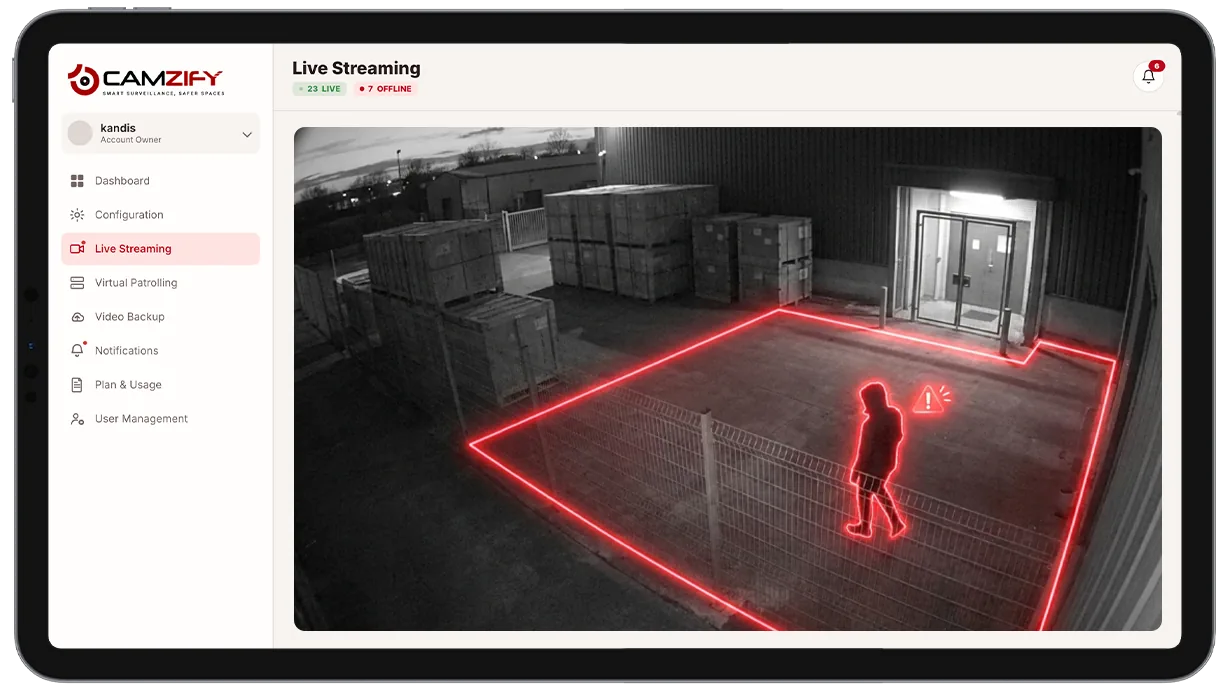
This capability detects and alerts on:
- • Anyone entering a restricted server room or electrical closet
- • A forklift or vehicle entering a pedestrian-only zone
- • Personnel present in a hazardous or chemical storage area
- • Any object track inside a no-go zone after hours
- • Repeated entries into the same zone within a short window
- • A subject lingering inside a zone past a configured dwell time
Why zone intrusion detection matters
Some areas aren't bounded by a single crossing point, a server room, a chemical storage cage, or a rooftop mechanical area has an interior that needs to stay empty of unauthorized people at all times, no matter which door, hatch, or gap someone comes through.
A line rule only catches one crossing point at a time; an irregular boundary with several possible entry points needs multiple coordinated lines and still leaves gaps at corners. Guards checking a restricted area on a walking round see it for seconds out of every hour, and a fixed door alarm misses anyone who gets in through a service hatch, a dropped ceiling panel, or a window.
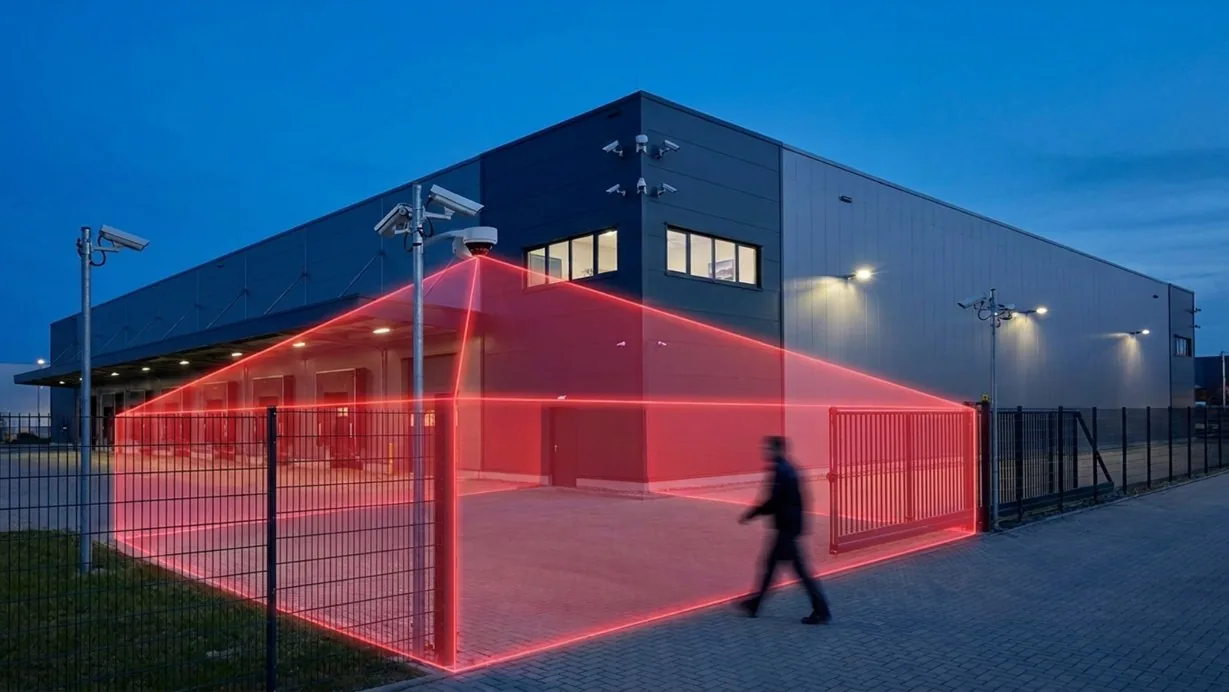
Zone intrusion detection replaces all of that with a single polygon drawn over the area a camera can see. Entry is entry, regardless of the path taken to get there, and the alert fires the moment a confirmed object track is inside the boundary.
How it works
Defining the zone
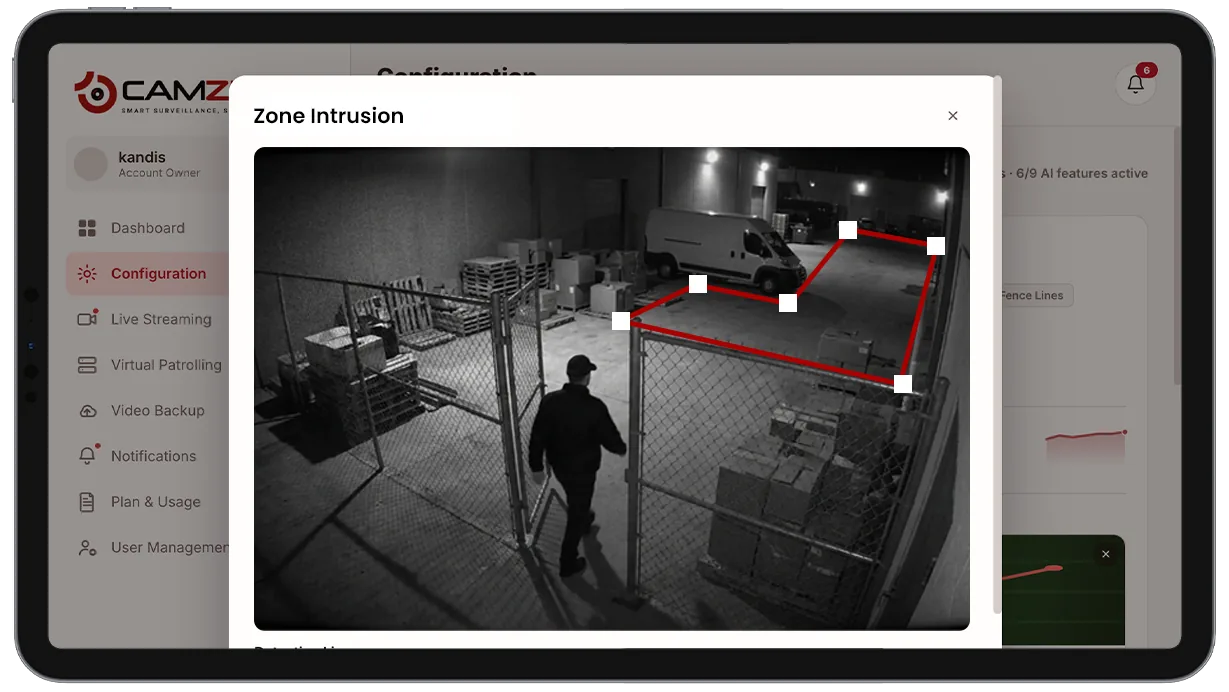
An operator draws an arbitrary polygon directly over the camera view in the configuration panel, not just a rectangle, but any shape that matches the physical boundary of the restricted area, including irregular rooms, cages, or partial views around obstructions.
Detecting entry
The system relies on the same multi-object tracking engine used elsewhere in the platform. A track is evaluated against the zone polygon on every frame — the moment any part of a confirmed track's position falls inside the boundary, the zone is considered entered, without the object needing to cross a specific edge first.
Alert delivery
Each zone can carry its own object-class filter and dwell-time threshold, so a zone can be set to alert instantly on any person, or only after a subject remains inside longer than a set number of seconds. Alerts include the object type, confidence score, and timestamp, and, when AI attribute extraction is enabled — structured attributes describing the subject. Alerts route through the notification queue with severity and acknowledgment status.
Configuration
Zones are drawn as polygons directly on the camera view in the configuration panel. Each zone supports:
- • Arbitrary polygon shape, not limited to rectangles
- • Dwell-time threshold before an alert fires
- • Notification window per camera, e.g. notify after hours only
- • Object-class filtering, e.g. people only, or people and vehicles
- • Multiple zones per camera, each with independent rules
- • Sensitivity adjustment per zone
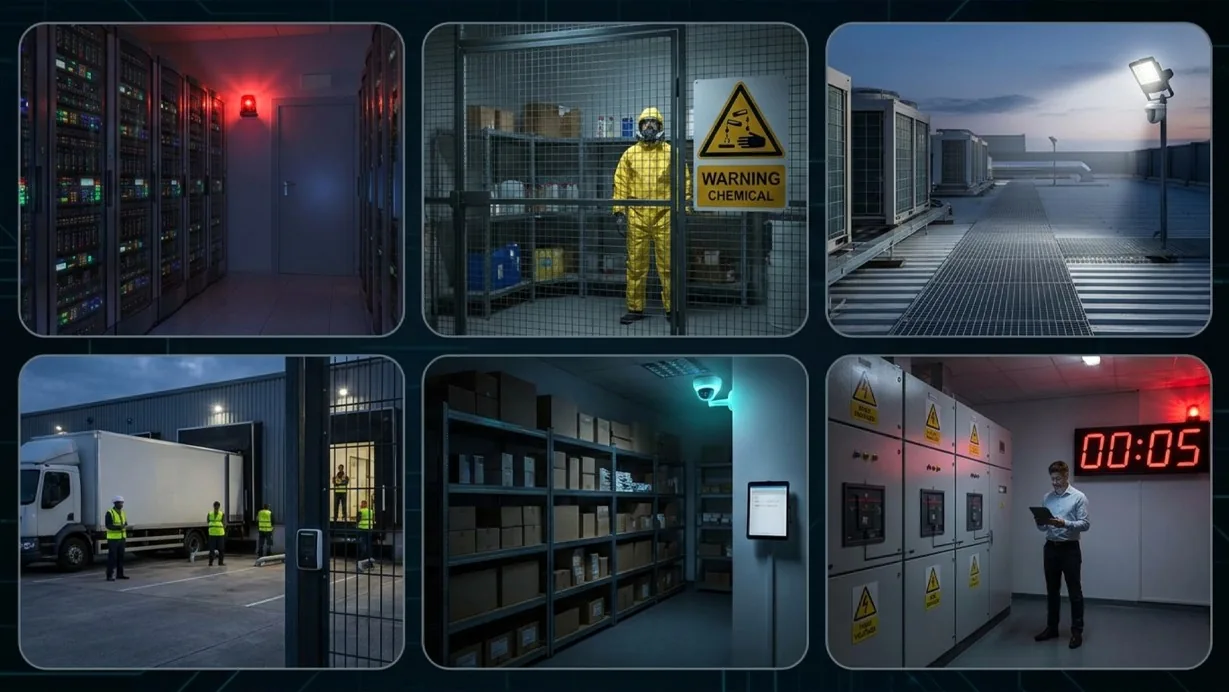
Common scenarios
- • A server room where any presence outside scheduled maintenance windows triggers an alert
- • A chemical storage cage where entry without an assigned PPE badge is treated as non-compliant
- • A rooftop mechanical zone where unauthorized presence fires regardless of entry point
- • A loading dock staging area restricted to authorized personnel during active unloading
- • A retail stockroom where after-hours presence trips an immediate alert
- • An electrical switchgear room where dwell time beyond a few seconds indicates unauthorized access
In a patrol round
During a virtual patrol round, alerts from this detection model contribute to the compliance assessment at each camera stop and are logged in the patrol report.
Frequently asked questions
Ready to patrol your site 24/7?
Book a 15-minute demo and see a live patrol run on your own cameras.