

Remote site monitoring
Remote site monitoring is the surveillance of facilities with no permanent security presence: substations, tower sites, pumping stations, rural depots and distributed infrastructure. A guard visiting once a day covers one hour in twenty-four. Camzify runs scheduled rounds on the site's own cameras, treats camera health as a checklist item, and puts every site on one console with its own schedule and its own person to call.
- Rounds on schedule with nobody on site
- Camera health checked as an item
- Every site on one console, own schedule
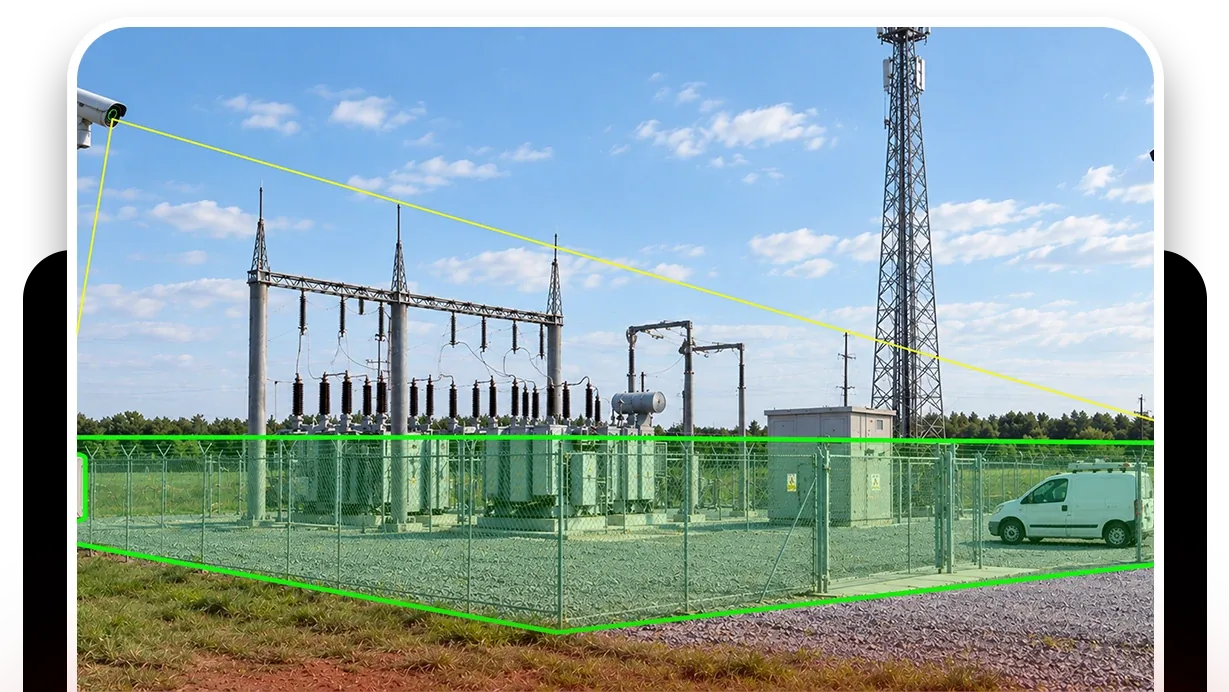
One visit a day is twenty-three hours of nothing
Remote sites are expensive to staff and slow to reach, so they are visited on a schedule and left alone in between. Theft of cable and equipment, damage, and simple faults like an open gate go unnoticed until the next visit or the next fault report, by which time the cost has compounded.
The cameras at those sites are usually there already, recording to a box that nobody checks unless something has gone wrong. What they lack is a round that asks the right questions at the right times and a person to tell when the answer is wrong.
- Warehouse — Sector 45/5 cameras online
- HQ Campus4/4 cameras online
- Retail — Downtown3/4 cameras online
- Distribution — North2/2 cameras online
- Each site runs its own sequences, schedule and guard roster on one account.
The round drives out so nobody has to
An automated round visits each of the site's cameras on schedule and answers the checklist: fence intact, gate closed, no person or vehicle in the compound, equipment area clear, camera unobstructed. Each answer is recorded with the frame. A failed item messages the person designated for that camera, and a risk the AI sees that the checklist did not ask about raises a critical notification.
Between rounds, zone and line intrusion fire on a tracked person or vehicle the moment one appears, and camera tampering detection catches the site going blind, which at an unmanned site would otherwise be found on the next visit. All of it sits under one account with the rest of the estate, on the multi-site console.
Zone intrusion detection
The compound as a zone, at every hour. A tracked person or vehicle is the event.
DetectionLine intrusion detection
A directional tripwire on the fence and the access track.
DetectionCamera tampering detection
A covered, turned or failed camera at a site nobody visits, raised the same day.
DetectionFire and smoke detection
Flame and smoke signatures at a site where the first person on scene is an hour away.
- Compound gate closedCompliant
- No person or vehicle in compoundCompliant
- Fence line intactCompliant
- Camera view unobstructedNot compliant
A failed item is resolved as Fixed or Pending before the round can close.
What a remote-site round checks
A remote-site sequence is short, a handful of cameras covering the gate, the fence and the equipment, and its checklist is about the state of the site and the state of the cameras. Camera view unobstructed is on every stop, because a site that has gone blind is a site nobody is watching and nobody knows it.
Every site runs its own schedule and its own roster, so the substation on the hill and the depot in town are checked at the times that suit each and reported separately. The multi-site page covers how that is set up. Camera health monitoring is the round that matters most at a site nobody visits.
A check found Not Compliant captures a snapshot and messages the guard designated for that camera; on a manual round the operator chooses to send it, on an automated round it goes on its own. The item stays Pending until it is marked Fixed, which captures the after frame, and the report shows both.
What it will not do
It will not run without a link to the cameras; an outage is a missed round in the log, not a hidden one. It will not see a corner without a camera, and a remote site often has fewer than it needs. It will not detect an electrical fault, a leak or a temperature that the camera cannot see. And it will not attend; it tells the person designated for that camera, and the drive is theirs.
We do not publish bandwidth figures, uptime or detection rates for remote sites. The trust page sets out why.
Industries where this applies
Frequently asked questions
Ready to patrol your site 24/7?
Book a 15-minute demo and see a live patrol run on your own cameras.