

Weapons detection
Spot a threat before it escalates. Weapons detection flags visible firearms and edged weapons the moment they enter frame, so the response starts before an incident develops rather than after.
- Visibly brandished firearms in camera view
- Visible edged weapons in camera view
- Detections at entrances, lobbies, and public-facing areas
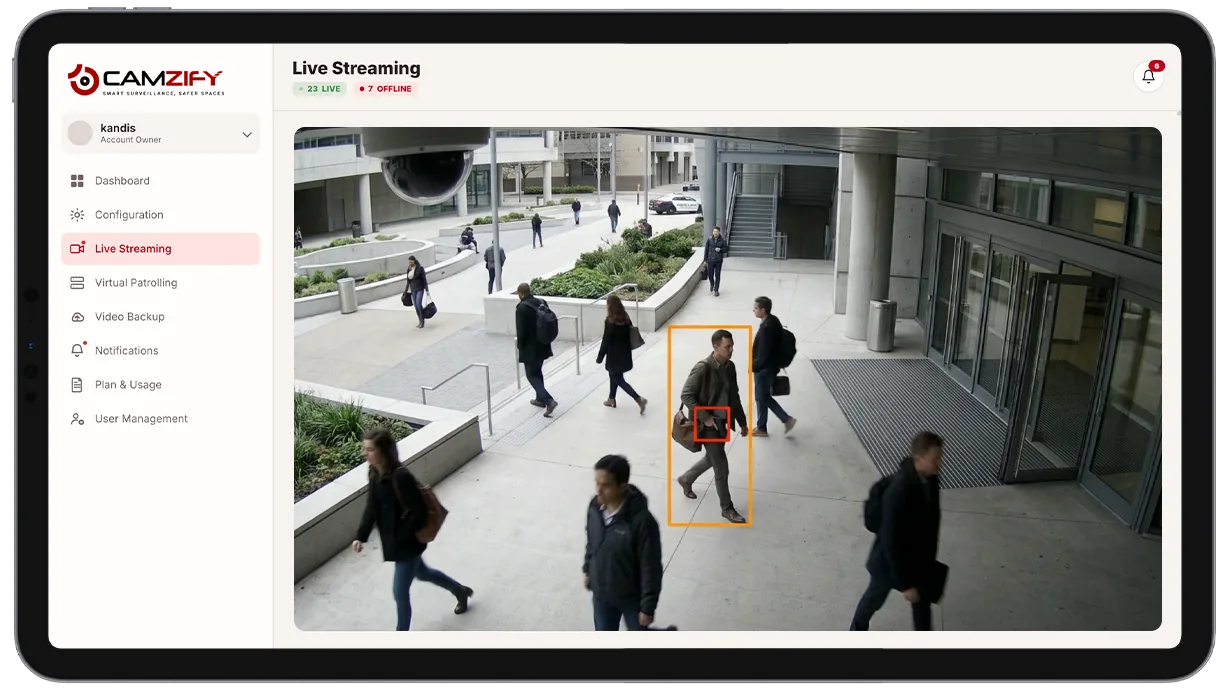
This capability detects and alerts on:
- • Visibly brandished firearms in camera view
- • Visible edged weapons in camera view
- • Detections at entrances, lobbies, and public-facing areas
- • Immediate, prioritized alert routing to the on-site or on-call guard
- • Repeated detections tied to the same confirmed subject track
- • Detections outside scheduled hours at areas that should see no weapon presence
Why weapons detection matters
A weapon becoming visible on camera is one of the narrowest windows security has to respond before a threat escalates further. A guard watching one monitor among dozens can easily miss that moment, and footage reviewed after the fact only confirms what already happened, it can't change the outcome.
Manual monitoring simply can't hold continuous attention on every camera at once, and staffing enough people to watch every feed live isn't realistic for most sites. The result is a gap between the moment a weapon appears and the moment anyone notices, which is exactly the window where a fast response matters most.
Weapons detection closes that gap by watching every enabled camera continuously and firing the moment a weapon is confirmed in frame, so the alert reaches a guard in seconds rather than depending on someone happening to be looking at the right screen at the right time.

How it works
Scanning confirmed tracks
The model runs on confirmed object detections from multi-object tracking, evaluating each tracked object against trained weapon classes rather than scanning raw, unconfirmed motion.
Confidence scoring
A match above the confidence threshold fires an alert immediately. Every alert is tagged critical severity by default and includes the object type, confidence score, timestamp, and a short clip for immediate human verification.
Critical alert routing
Alerts route through the platform's notification system with escalation rules configurable per site.
Configuration
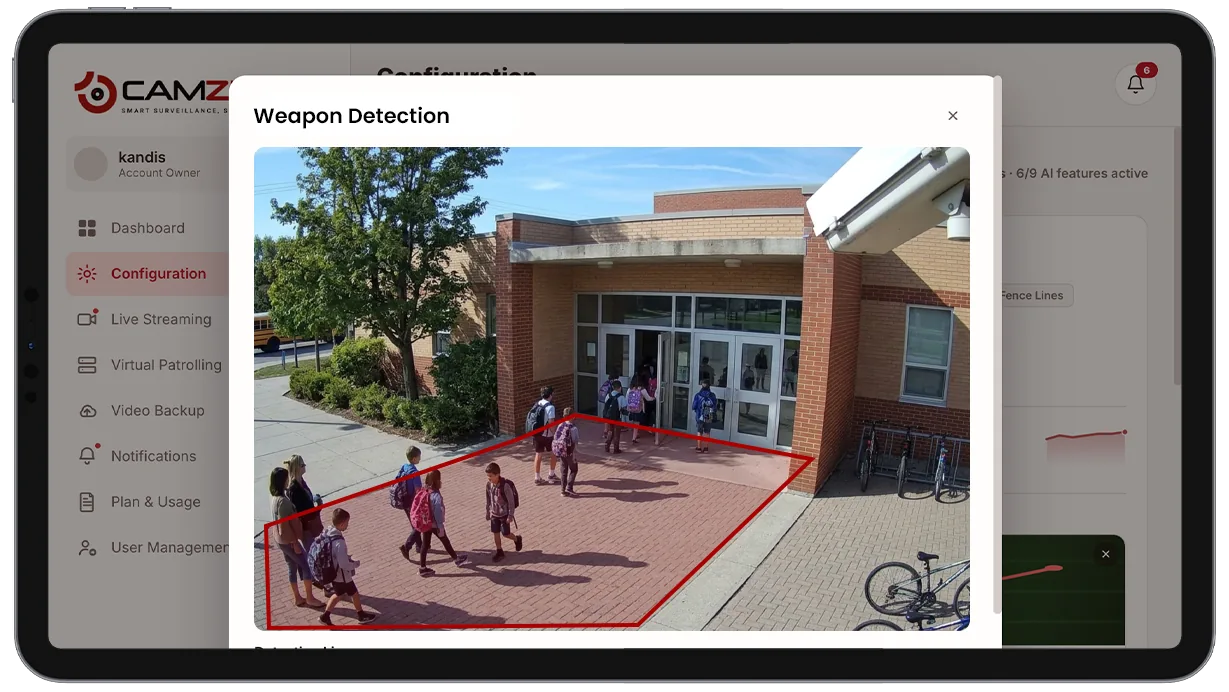
Weapons detection is enabled per camera with default critical-severity alerting. Configuration options include:
- • Per-camera enablement with critical-severity alerting by default
- • Escalation contacts and routing rules per site
- • Notification window per camera for areas with time-limited monitoring needs
- • Confidence threshold tuning for the alert-firing point
- • Per-camera instance licensing, matching other detection features
Common scenarios
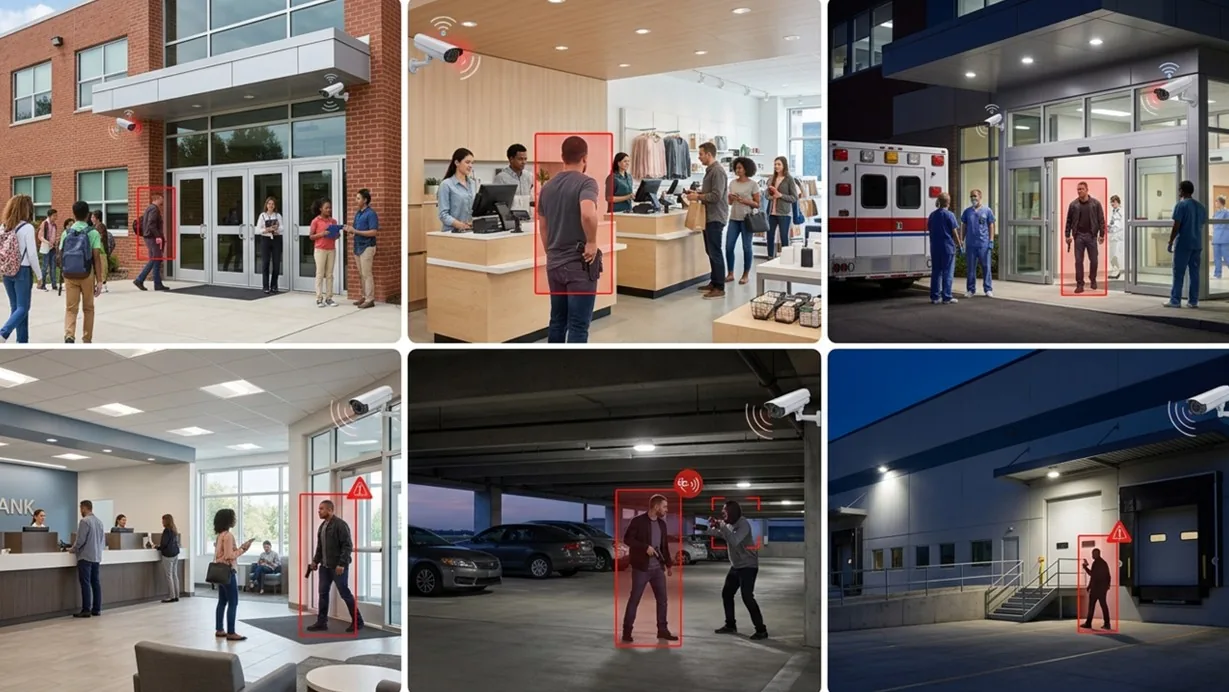
- • A school entrance where any visible weapon triggers an immediate lockdown protocol
- • A retail store lobby flagged the moment a firearm becomes visible near checkout
- • A hospital emergency department entrance monitored continuously for weapon presence
- • A bank branch lobby where a detection routes directly to a critical alert queue
- • A parking structure where a weapon detection triggers alongside a nearby aggression alert
- • An office building loading dock where after-hours weapon detection is treated as critical by default
In a patrol round
Weapons detection runs continuously rather than only during scheduled checks, but a detection during an active virtual patrol round is logged immediately as a critical non-compliance event in the patrol report.
Industries using this
Related detections
Frequently asked questions
Ready to patrol your site 24/7?
Book a 15-minute demo and see a live patrol run on your own cameras.