

Skip to content
Camzify
Categorized, Triaged, Acknowledged

Security alert management

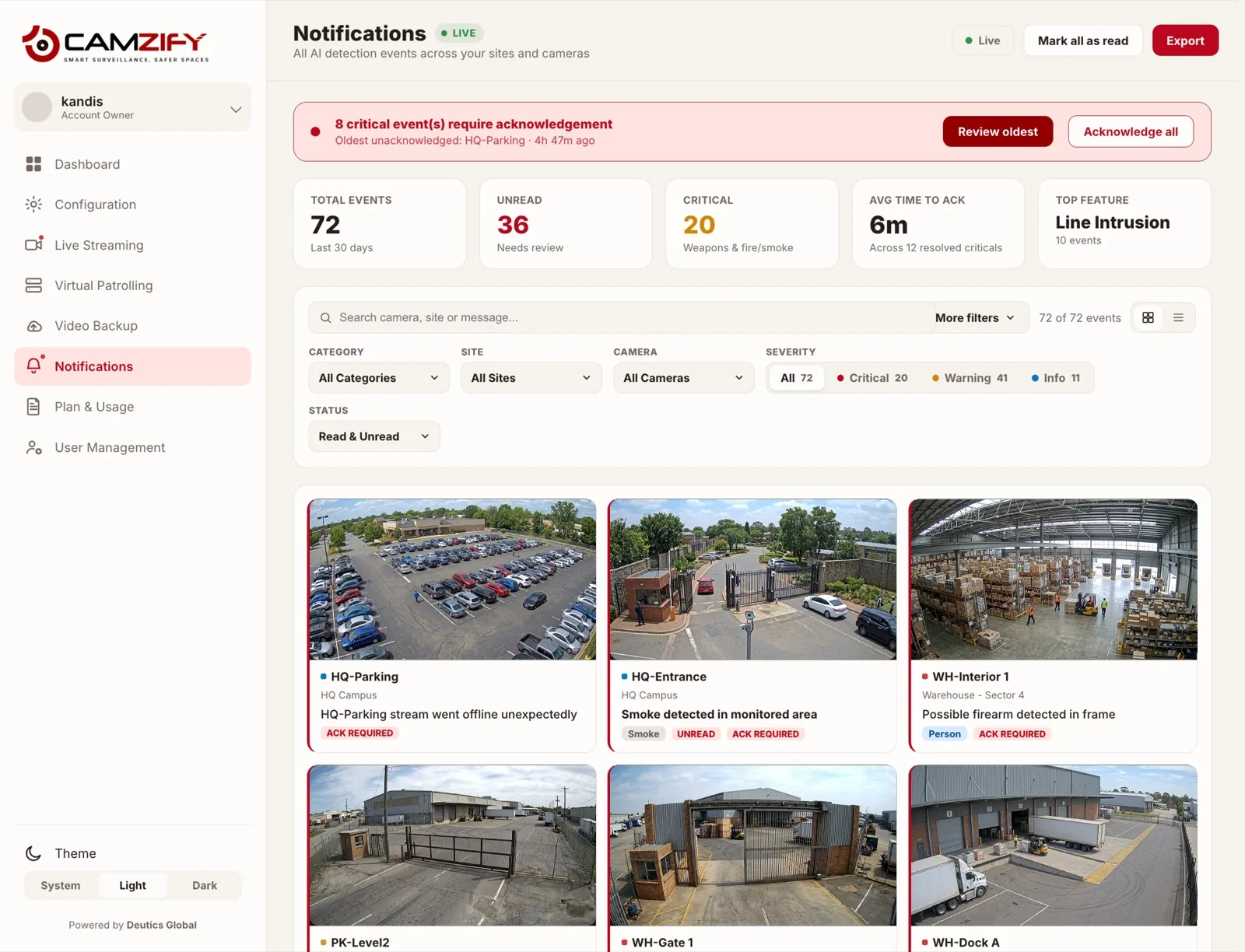
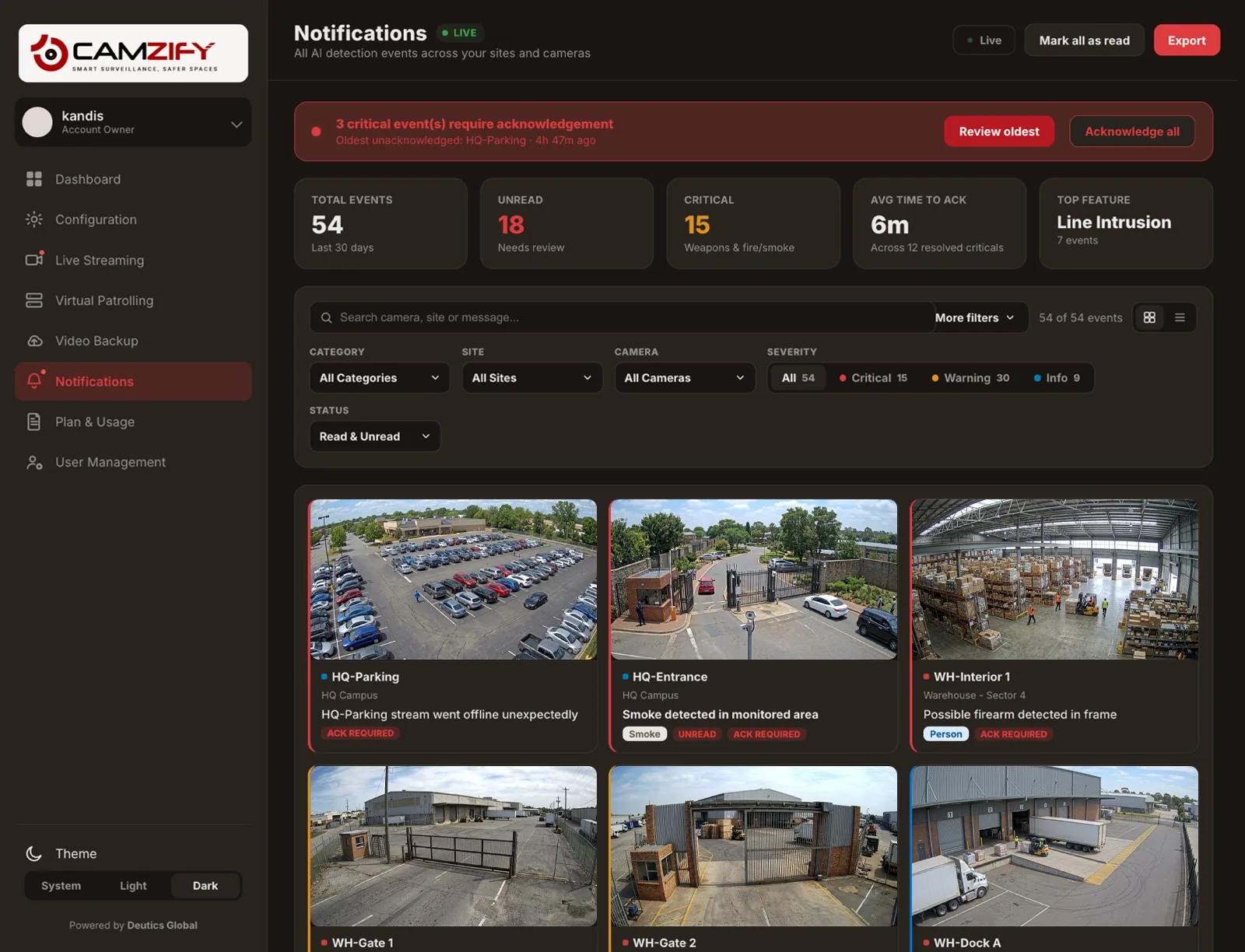
The Camzify notification system provides total events, unread count, critical alerts (weapons and fire/smoke), and average time to acknowledge. Filter by category, site, camera, severity, object type, and acknowledgment status. Every alert supports four states: Ack Required, Acknowledged, Escalated, and False Positive.
Notifications · Camzify console
A laptop showing the Camzify Notifications screen with stat tiles, filters, and a categorized alert feed showing critical, warning, and info events
Notifications · 3 Require Acknowledgment
Oldest: HQ-Parking · 4h 47m ago
54
Total Events · 30d
18
Unread
15
Critical
weapons & fire/smoke
6m
Avg Time To Ack
across 12 resolved criticals
Severity Breakdown · 54 Total
Critical · 15Warning · 30Info · 9
Recent Alerts
Stream Status4h ago
HQ-Parking stream went offline unexpectedly
HQ-Parking · HQ CampusACK REQUIRED
Fire & Smoke4h ago
Smoke detected in monitored area
HQ-Entrance · HQ CampusUNREAD · ACK REQUIRED
Weapons Detection2h ago
Possible firearm detected in frame
WH-Interior 1 · Warehouse - Sector 4ACK REQUIRED
Line Intrusionjust now
Person crossed Perimeter Line — Entrance direction
WH-Gate 1 · Warehouse - Sector 4UNREAD
In practice

How alerts are triaged

Real-time categorized feed

Every event lands in the feed tagged by category, Line Intrusion, Weapons Detection, Fire & Smoke, and more, the moment it fires.

Severity triage

Critical, Warning, and Info tiers keep the highest-stakes events from getting lost in a wall of routine ones.

Acknowledgment workflow

Ack Required, Acknowledged, Escalated, and False Positive states leave a clear audit trail on every alert.

Granular filtering

Narrow the feed by category, site, camera, severity, or read status to find exactly what you're looking for.

Part Of Every Patrol

One queue, not four dashboards

This module integrates with virtual patrolling to provide a complete operations picture. Patrol results, detection alerts, and platform status all feed into the same console.

The oldest unacknowledged critical event is always surfaced first, with Line Intrusion currently the single busiest category feeding the queue, operators can tell in seconds whether they're looking at a genuine spike or routine perimeter activity.

Filter By
Category8 detection categories, from Line Intrusion to Fire & Smoke
Site / CameraNarrow to one location or a single stream
SeverityAll, Critical, Warning, or Info
StatusRead & unread, unread only, or read only
FAQ

Frequently asked questions

Critical is reserved for the highest-stakes detections, weapons and fire/smoke, since those need eyes on them immediately. Warning covers things like a camera stream going offline, and Info covers lower-urgency detections such as line intrusion. The same event categories always map to the same severity, so the tier is predictable, not judged case by case.

Acknowledging an alert marks it as reviewed and records who acknowledged it and when, it's not just a checkbox that disappears. Alerts move through four states: Ack Required, Acknowledged, Escalated, and False Positive, so there's a clear audit trail of what happened to every event.

Yes. The feed filters by category (Line Intrusion, Zone Intrusion, Heatmap Anomalies, Camera Tampering, Weapons Detection, PPE Violations, Fire & Smoke, Stream Status), by site, by camera, by severity, and by read/unread status, and what a given sub-user sees is scoped to the sites and cameras their permission group grants them.

The notification feed is built for filtering and review inside the platform rather than as a raw export tool, narrow it down by category, site, camera, severity, or status to pull up exactly the events you need to check or report on.

Yes. Acknowledgment state is shared, acknowledging a critical event from the notifications feed marks it acknowledged in the dashboard's critical-event queue too, and vice versa, so the two views never disagree about what's still outstanding.

Ready to patrol your site 24/7?

Book a 15-minute demo and see a live patrol run on your own cameras.

This site is being updated

We are rebuilding pages as you read this, so an image, a link or a section may look unfinished for a while. The product itself is unaffected. If something important is broken, tell us at the contact page and we will fix it.