

Security patrol checklists
A security patrol checklist is a set of compliance items assigned to each camera in a patrol sequence. During every virtual patrol round, each item is evaluated and marked Compliant, Not Compliant, or Pending with a written reason. An item marked Not Compliant cannot stay that way: the round will not close until it has been fixed and re-checked, or held as pending with a reason on the record. The step-by-step walkthrough covers the full loop. Failed items trigger an automatic notification to the guard assigned to that camera.
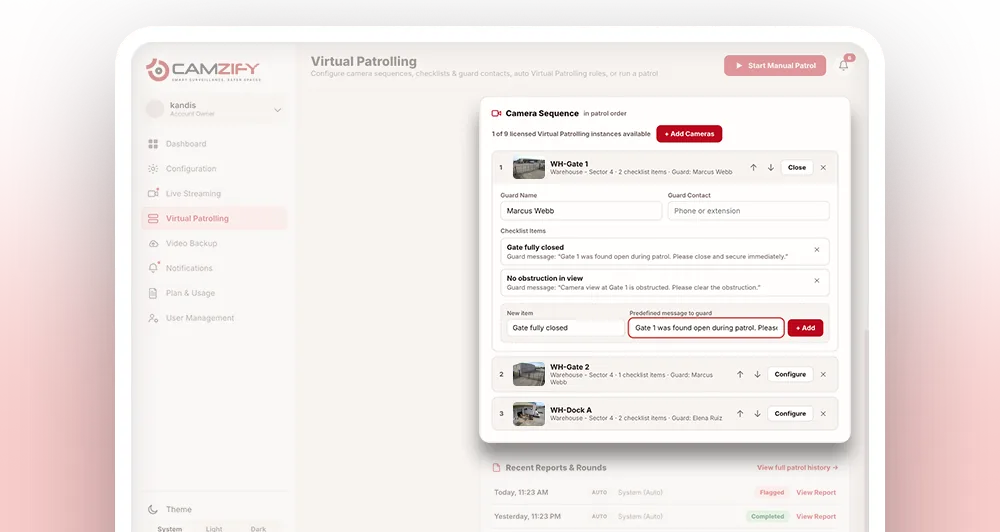
Plain-language items
Each item is a simple statement the camera view either confirms or denies, no ambiguity.
Tied to a guard
Every checklist sits behind a camera with a named guard who gets notified on failure.
Consistent every round
The same items get checked the same way, whether the round is manual or scheduled.
Why patrol checklists matter
A guard doing a physical round carries a mental checklist that varies slightly every time, what gets checked closely on a slow night gets glanced at on a busy one. There's no record of which specific items were verified, only that the round happened.
A camera without a checklist has the opposite problem: it records everything and confirms nothing. Footage exists, but nobody can say whether the gate was actually closed at 2am without watching the clip back.
A patrol checklist fixes both. Every item is evaluated the same way, every round, and the result, Compliant or Not Compliant, is logged with a timestamp against that specific camera and that specific item.
Try the checklist experience
Click through three cameras and see how checklist items work in a real patrol round.
Every item needs an answer before the round can move on. A failed item is either fixed and re-checked, or held as pending with a reason.
Step through three cameras, mark each checklist item, message the guard when one fails, and see the report the round produces.
What checklist items look like
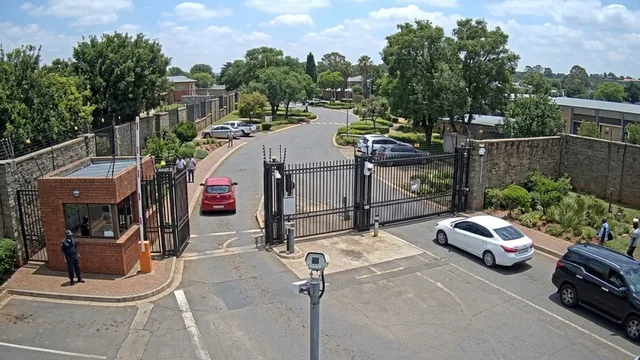
Each item is a plain-language statement that the camera view either confirms or denies. Items are specific to the camera and the environment it monitors.
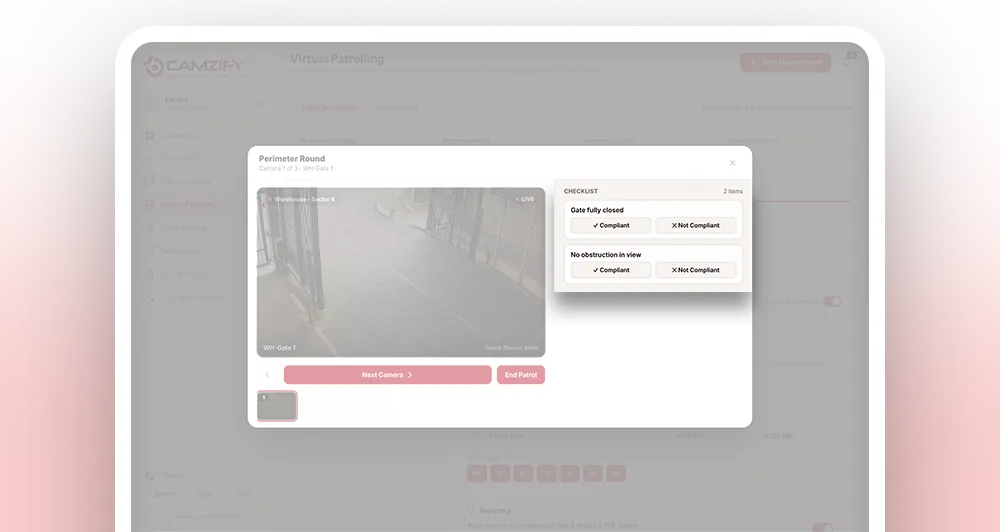
- 01Live view at the stop
- 02Item judged against it
- 03Failure notifies the guard
- 04Fixed or pending, then close
How a checklist gets evaluated
- 01The patrol round reaches this camera's stop in the sequence
- 02Every item assigned to that camera is checked against the current view
- 03Each item is marked Compliant or Not Compliant, and a failed item is then resolved as Fixed or Pending, all timestamped
- 04Any Not Compliant item triggers a guard notification
- 05Results are written into that round's patrol report
Setting up checklists for a site
Checklists are configured per camera when a patrol sequence is built. Most deployments follow the same pattern:
- • Write 2-4 items per camera, specific to what that view actually covers
- • Reuse common items (e.g. "Zone clear") across cameras with the same requirement
- • Pair each item with a predefined escalation message
- • Review and adjust items after the first few rounds, once real results come in
- 01Pick the camera
- 02Write what it is judged on
- 03Name the guard and message
- 04Reorder any time
Frequently asked questions
Ready to patrol your site 24/7?
Book a 15-minute demo and see a live patrol run on your own cameras.