

Camzify for managed service providers
An MSP already carries the operational relationship, the network and often the site access, which is most of what a video surveillance rollout needs. Camzify adds a security service line on top of that footprint with no hardware to procure: one account you hold, a scoped login per customer, license quota you allocate and reclaim, and a report per patrol round to show each of them.
- One account, a login per customer
- Quota allocated and reclaimed by you
- Alerts and reports per client
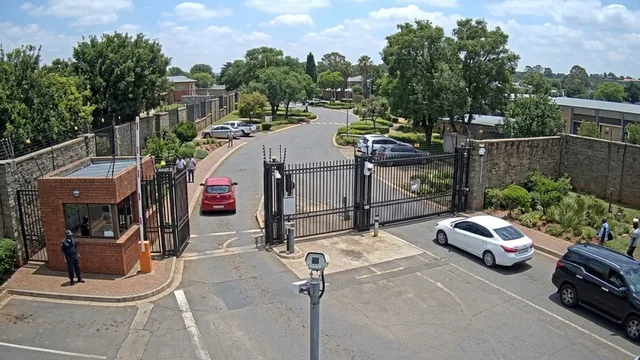
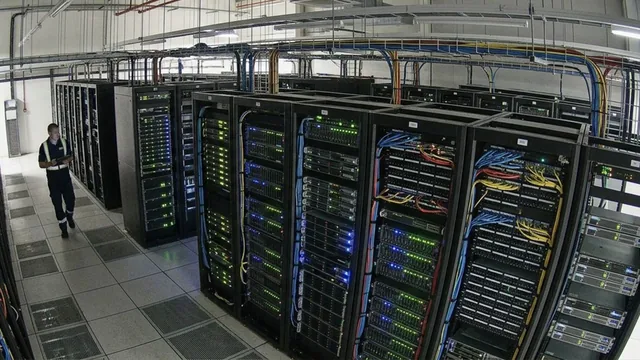

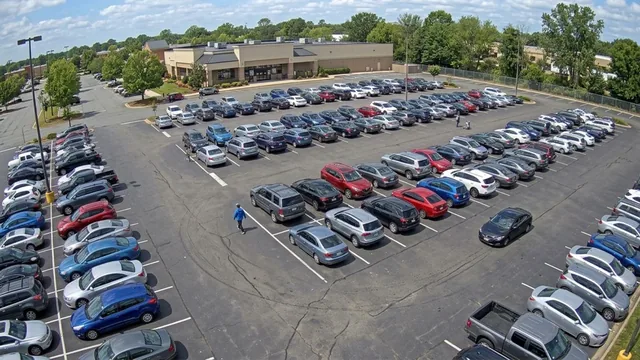
- Warehouse — Sector 45/5 cameras online
- HQ Campus4/4 cameras online
- Retail — Downtown3/4 cameras online
- Distribution — North2/2 cameras online
- Each site runs its own sequences, schedule and guard roster on one account.
Built for the party that is not the site owner
Most video software assumes the operator and the owner are the same company. Camzify assumes they may not be. You hold the account; every customer is a sub-user scoped to its own sites and cameras, carrying a permission group that decides which pages it can open and what it can change. A customer never sees another customer.
Quota flows the same way. Sites, cameras, AI feature instances and backup storage are handed to each customer out of what you hold, and a customer that reaches its allocation requests more rather than taking it. The plan page breaks storage out as provisioned, used, assigned to child accounts and remaining.
What you run for each customer
Live wall across customers
Every customer's cameras on one screen, grouped by site with a per-site online count. Filter to one customer or one AI feature.
Recording and retention
Per camera, continuous or scheduled, kept by days or a storage cap. A copy in the cloud survives whatever happens to the customer's recorder.
Alerts routed per client
Channels per alert category and severity per camera per feature, so the critical events reach you and the routine ones reach the customer.
Rounds with a report each
Scheduled patrol rounds on each customer's cameras, the guard messaged on a failed check, and a compliance report per round to hand over.
Onboarding, change and offboarding
- Onboard a customer by creating the sub-user, allocating quota and adding their sites. Cameras on their LAN connect through the Connector with no change to their firewall.
- Change what a customer can do by moving them to a different permission group. The change takes effect immediately, with nothing to propagate.
- Offboard by suspending the sub-user. Login stops, the data stays, and reinstating restores exactly what was there. Every step is in the audit trail.


Guard message sent. Re-checked and closed with the second frame attached.
What we will not tell you
That there is a published partner margin, a white-label option or an SLA figure. Pricing is quote-based and partner terms are agreed in conversation. The console carries the Camzify name. We also do not publish uptime, response-time or event figures, because we cannot substantiate them for your customers; the trust page sets out that policy. If your work is installing cameras rather than operating them, see security integrators; if you run monitoring for security agencies, see monitoring companies.
Frequently asked questions
Ready to patrol your site 24/7?
Book a 15-minute demo and see a live patrol run on your own cameras.